


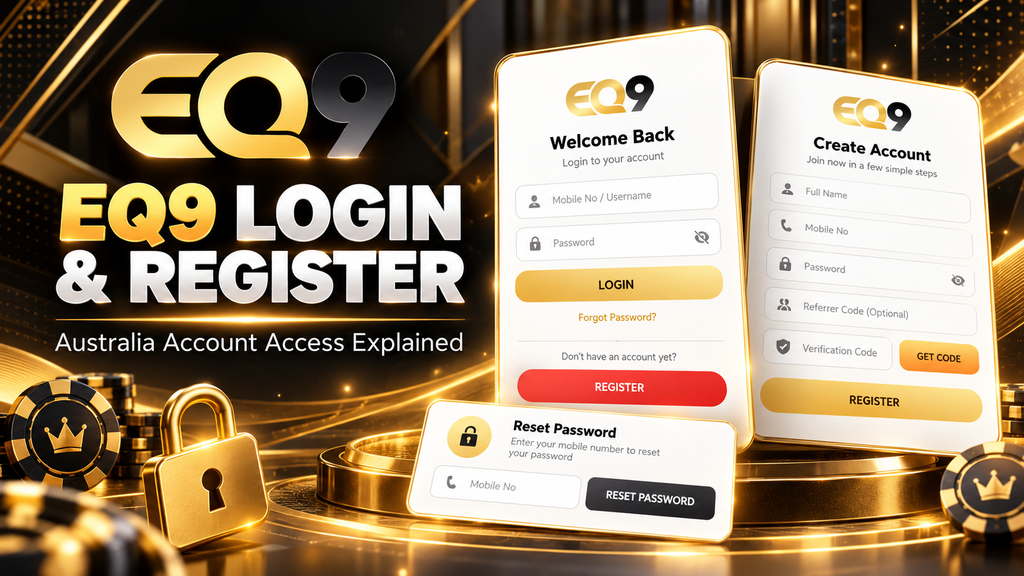
Getting started with EQ9 begins with creating an account or signing in with your existing details. Whether you’re registering for the first time, returning to your account or trying to recover a forgotten password, knowing the correct process can help you avoid unnecessary delays.
At EQ9, we provide separate login and registration pages for Australian members. Existing users can sign in using their registered mobile number or username, while new members can complete registration through a form that includes SMS verification.
We also provide a password reset option for members who have difficulty accessing their accounts.
This article explains how our login and registration system works, which details you’ll need and how to resolve common account access problems.
How to Login to Your EQ9 Casino Account
The EQ9 casino login page allows existing members to access their accounts using a registered mobile number or username and password.
Our login form contains two fields:
| Login Field | Required Information |
|---|---|
| Mobile No / Username | Your registered mobile number or username |
| Password | Your account password |
A password visibility icon is also available, allowing you to check your entry before signing in.
To access your account:
- Open the EQ9 login page.
- Enter your registered mobile number or username.
- Type your password into the password field.
- Check that both entries are correct.
- Select the gold LOGIN button to submit your details.
If your credentials are accepted, you can proceed to your account.
If you’re unsure whether you’ve typed the password correctly, use the visibility icon to review it before submitting the form.
Our login page also provides direct access to registration and password recovery, so you can select the appropriate option without returning to the homepage.
How to Register an EQ9 Account in Australia
New members can create an account through our dedicated registration form.
The process requires basic account information, including your full name, mobile number, password and SMS verification code.
Complete the Registration Form
Open the EQ9 registration page and enter the requested details.
| Registration Field | What You Need |
|---|---|
| Full Name | Your full name, matching your bank account |
| Mobile No | Your Australian mobile number |
| Password | A password containing 6–20 characters |
| Referrer Code | The applicable referral code |
| Verification Code | The code received through SMS |
The full-name field includes a reminder that your name must match the name on your bank account.
Use accurate information when completing the form, particularly for your name and mobile number.
The Referrer Code field may already contain a code. Review the entry before proceeding rather than changing it unnecessarily.
Verify Your Mobile Number
After completing the registration details, select GET CODE beside the Verification Code field.
The registration form uses SMS verification, so the code is sent to the mobile number you provided.
Once the message arrives, enter the verification code into the relevant field.
Check the digits carefully before continuing.
If the SMS doesn’t arrive immediately, allow some time for delivery and confirm that your mobile number is correct.
Submit Your Registration
When all required fields are completed, select the gold REGISTER button.
If your registration is accepted, follow the instructions displayed on the account page.
You can then return to the login screen using the Login Here option and sign in with your registered details.
Important: Keep your SMS verification code private. It should not be shared with anyone requesting access to your account.
EQ9 Login vs Registration: What’s the Difference?
Login and registration appear within the same account system, but they serve different purposes.
| Feature | Login | Registration |
|---|---|---|
| Purpose | Access an existing account | Create a new account |
| Mobile Number | Registered number or username | Mobile number used for registration |
| Password | Existing account password | Create a new password |
| SMS Verification | Not shown in the standard login form | Required during registration |
| Suitable For | Existing members | New members |
If you already have an EQ9 account, use your registered details to sign in.
You don’t need to complete registration again each time you visit.
If you’ve forgotten your password, use the available recovery option instead of creating another account.
How to Reset Your EQ9 Password
Forgotten passwords are a common reason members cannot access their accounts.
Our login page includes a Forgot Password link that opens the password reset section.
The recovery form asks for your registered mobile number and provides a RESET PASSWORD button.
To begin the recovery process:
- Open the EQ9 login page.
- Select Forgot Password.
- Enter your registered mobile number.
- Click RESET PASSWORD.
- Follow any additional recovery instructions displayed.
The recovery form uses your mobile number to begin the process. Any further verification requirements will be presented through the account recovery interface.
Once you’ve completed the recovery process, return to the login page using Login Here.
Enter your mobile number or username and your current password to access your account.
If you no longer have access to your registered phone number or cannot complete the recovery process, seek assistance through the appropriate support channel.
Never share your password or verification code with anyone offering to recover your account.
Accessing EQ9 Casino on Mobile Devices
Our website can also be accessed through compatible mobile browsers, making it possible to reach the EQ9 account pages without relying on a desktop computer.
Whether you’re using an Android phone or iPhone, the basic login requirements remain the same.
Open the website, navigate to the account login page and enter your registered mobile number or username and password.
The registration process also uses your mobile number for SMS verification.
Make sure your phone can receive SMS messages when creating an account or completing any required mobile verification.
After signing in, you can explore the available sections of our EQ9 online casino, including EQ9 pokies and other gaming categories.
Some website elements may appear differently on smaller screens, but the account information you enter should remain consistent with your registered details.
For easier future access, you can bookmark the intended website address in your mobile browser.
Common EQ9 Login and Registration Problems
Account access issues can occur when information is entered incorrectly or when a verification request cannot be completed.
Before attempting another login or registration, check the following common situations.
Incorrect Mobile Number or Password
If you cannot sign in, first confirm that you’re using the same mobile number or username associated with your account.
Check your password for typing mistakes, unexpected spaces or incorrect capitalisation.
The password visibility icon can help you review what you’ve entered.
If you cannot remember the correct password, use the recovery function.
SMS Verification Code Not Received
During registration, the verification code is requested through the GET CODE button.
If you haven’t received the SMS, confirm that:
- Your Australian mobile number is entered correctly.
- Your phone has a working mobile network connection.
- Your messaging app hasn’t filtered the verification message.
- You’ve allowed sufficient time for delivery.
Avoid repeatedly requesting codes in quick succession. If the issue continues, use the available support channel for further assistance.
Registration Form Not Accepted
If you cannot complete registration, review each field carefully.
Your full name should match your bank account name, and your password must follow the displayed 6–20 character requirement.
Check that the verification code is entered correctly and that all required fields have been completed.
Login Page Not Loading
If the account page isn’t responding, check your internet connection and try refreshing the browser.
You can also open the page in another updated browser.
If you’re using an old bookmark, navigate from the main EQ9 website to locate the account section.
If the problem continues, avoid entering your details on unfamiliar replacement websites.
Keeping Your EQ9 Account Secure
Protecting your login credentials is an important part of account management.
We recommend following a few basic practices whenever you register, sign in or recover an account.
Choose a Unique Password
Our registration form accepts passwords containing 6–20 characters. Choose a strong password within that limit and avoid reusing passwords from your email or other online accounts.
Keep Your Registered Mobile Number Accessible
Your mobile number is used during SMS registration and is also requested by the password recovery form.
Maintaining access to it can make future account verification easier.
Never Share Verification Codes
SMS codes are intended for the relevant verification process. Do not disclose them to another person.
Check the Website Address
Before entering your account credentials, confirm that you’re accessing the intended EQ9 website.
Sign Out on Shared Devices
If you’ve accessed your account through a shared computer or another person’s phone, sign out when you’ve finished.
These basic precautions can reduce avoidable account-access problems and help you keep control of your login information.
Conclusion: Login or Register with EQ9 Australia
At EQ9, we’ve provided dedicated pages for account login, new member registration and password recovery.
Existing members can sign in using their registered mobile number or username and password. New members can create an account by completing the registration form and verifying their mobile number through SMS.
If you’ve forgotten your password, the recovery option allows you to begin resetting your account access using your registered phone number.
To get started, visit EQ9 and choose the appropriate Login or Register option. Follow the displayed instructions and keep your account information secure.
Frequently Asked Questions About EQ9 Login & Register
How do I login to EQ9 Casino Australia?
Open the EQ9 login page, enter your registered mobile number or username and password, then select LOGIN. Make sure the details match your registered account information.
How do I register a new EQ9 account?
Visit the registration page and enter your full name, mobile number, password, applicable Referrer Code and SMS verification code. Once the required fields are complete, select REGISTER.
Does EQ9 require SMS verification for registration?
Yes. The registration form includes a GET CODE button used to request an SMS verification code for your registered mobile number.
What should I do if I forget my EQ9 password?
Select Forgot Password from the login page, enter your registered mobile number and click RESET PASSWORD. Follow any additional recovery instructions displayed.
Can I login to EQ9 on my mobile phone?
Yes. You can access the EQ9 login page through a compatible mobile browser and sign in using your registered account details.
Why am I not receiving my EQ9 registration code?
Check your phone number, mobile network connection and SMS inbox. Allow time for the message to arrive. If the problem continues, seek assistance through the available support channel.
Do I need to register again if I cannot login?
No. Existing members should check their credentials or use the password recovery option instead of creating another account.
What password can I use for EQ9 registration?
The registration form requires a password containing 6–20 characters. Choose a unique password within the permitted range and keep it private.